 Invoice Autopilot
The app creates invoices and credit notes on its own as soon as Shopify reports the payment or refund – credit notes not twice if a reduction is already covered by a cancellation or correction credit note (see Credit notes). If details are missing or a tax case is unclear, it stops before a number is assigned and shows the case under History & catch-up.
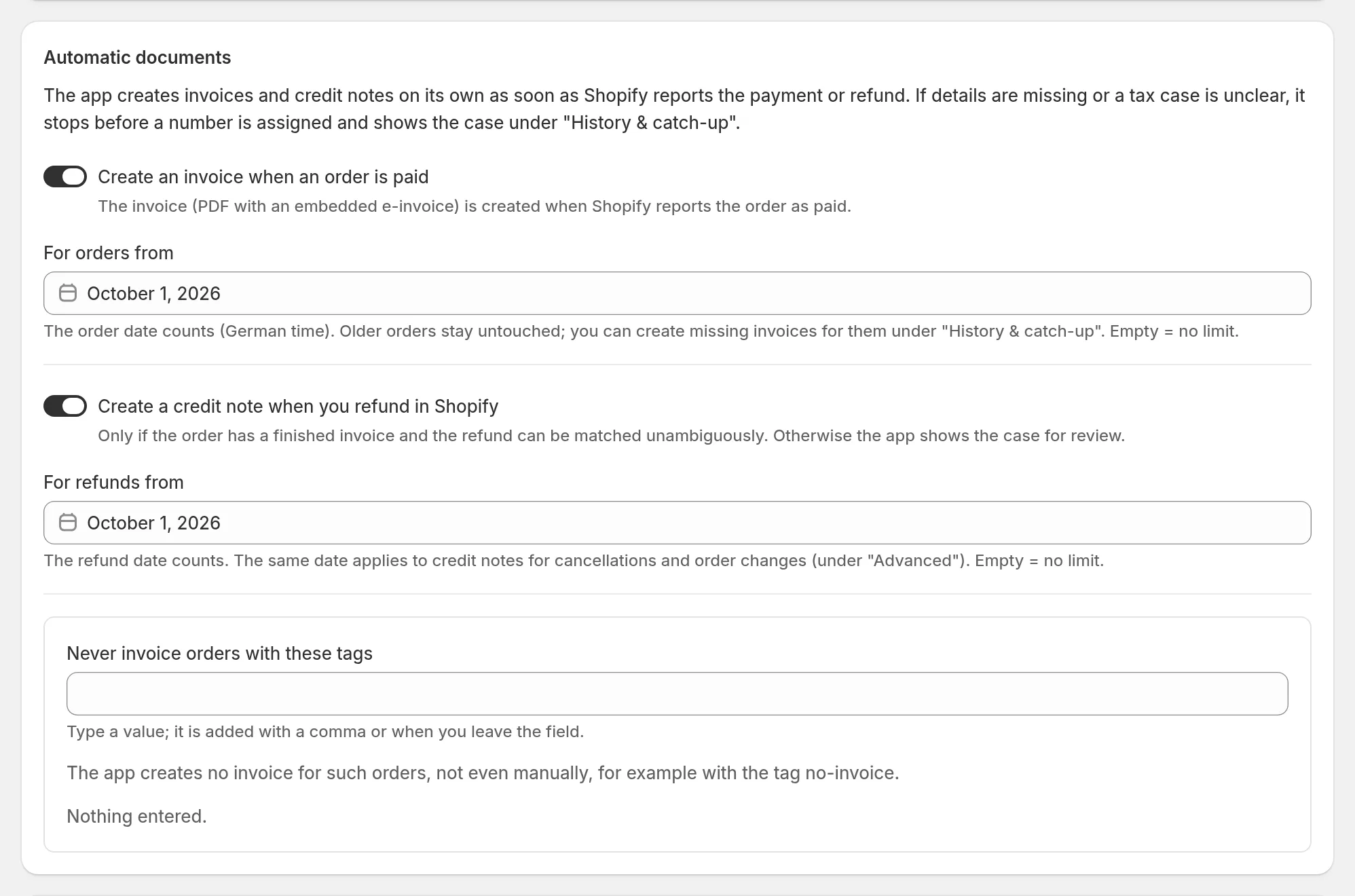
The main switches
| Setting | What it does |
|---|---|
| Create an invoice when an order is paid | The invoice (PDF with embedded e-invoice) is created when Shopify reports the order as paid. |
| For orders from | The order date counts (German time). Older orders stay untouched. Empty = no limit. |
| Create a credit note when you refund in Shopify | Only when the order has a finished invoice from the app and the refund can be attributed clearly. Otherwise the app shows the case for review; already-credited amounts are not credited twice. See Credit notes. |
| For refunds from | The refund date counts. The same date applies to credit notes for cancellations and order changes. |
| Never invoice orders with these tags | For orders with one of these tags the app creates no invoice, not even by hand. |
If not everything is on yet, Turn on from today switches on invoices on payment and credit notes on refund, with today as the start date. What already runs stays unchanged. Exception: if pay by invoice already uses For orders from, or cancellation credit notes already use For refunds from, that shared date stays in force – even when it is empty, meaning no limit. Check the dates once afterwards.
Limit the automation
Under Advanced › Limit the automation you can optionally decide which orders the automation invoices: Matching tags, Matching payment methods, Matching countries (shipping or billing address), Matching sales channels or Matching words in the order note.
One match is enough. Example: DE and PayPal means all orders to Germany plus all PayPal orders. This applies to paid orders and pay by invoice, not to credit notes. Invoices created by hand are not affected.
Test with an order
Test with an order checks with the values entered – including unsaved ones – whether the automation would create an invoice for a specific order. Nothing is saved and no number is assigned. The test does not check whether the invoice data itself is complete (address, taxes); for that, load the order under Invoices.
History & catch-up
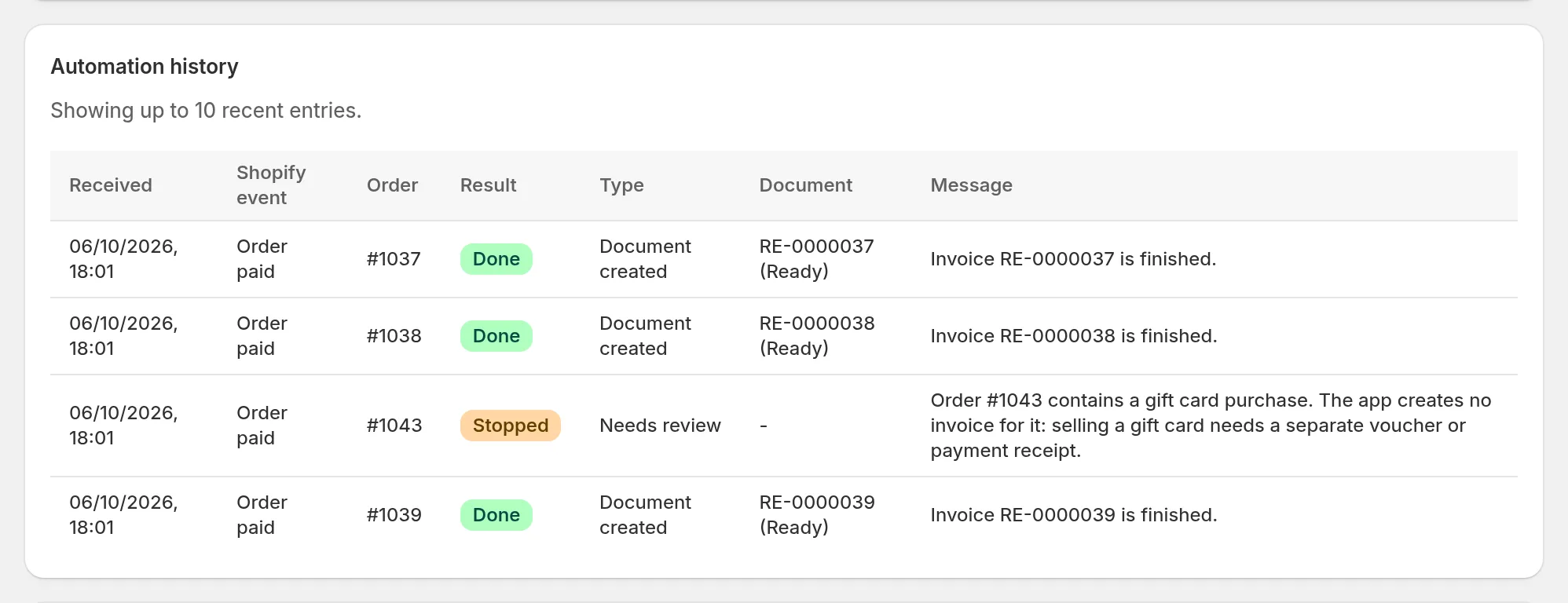
Under History & catch-up, the Automation history shows the ten newest events: which Shopify event came in, whether a document was created and – if not – why.
Catch up invoices for older orders
The automation does nothing for orders before your start date. Under Catch up invoices for older orders you review such orders page by page (at most 25 per page) with Run test. Invoice numbers are only assigned when you explicitly confirm the orders marked Ready on a page.
If you want to catch up invoices for many months or years, talk to your accountant first so that numbering, start date and bookkeeping fit together.