 Invoice Autopilot
Under Templates › PDF appearance you adjust how your documents look.
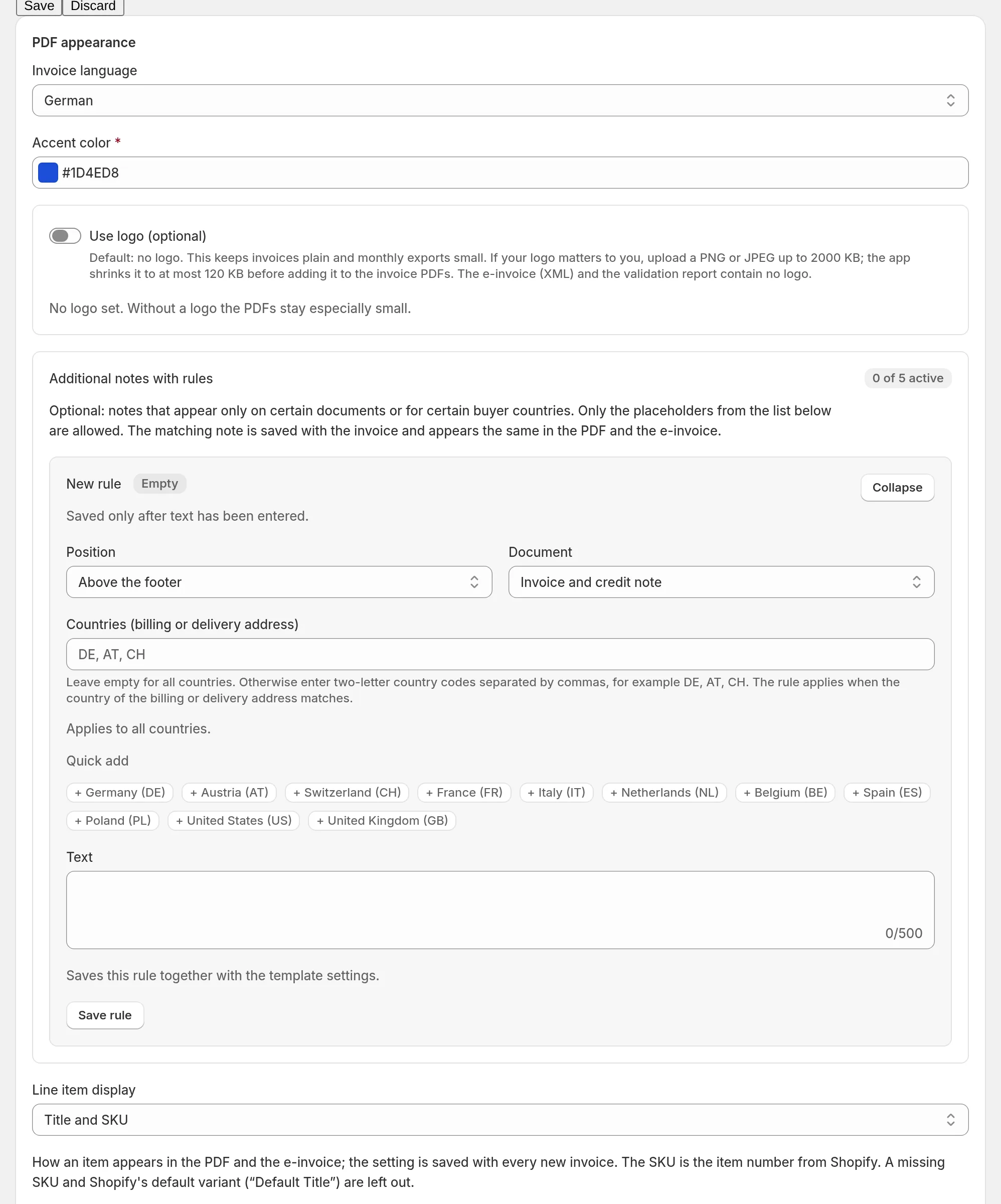
Language, color, logo
- Invoice language: German, English, French, Italian, Dutch or Spanish. The language covers the fixed labels on the document; your own texts and product names are not translated.
- Accent color for headings.
- Use logo (optional): PNG or JPEG up to 2 MB; the app shrinks it to at most 120 KB before it goes into the PDFs. Without a logo, invoices stay plain and exports small. The e-invoice (XML) and the validation report contain no logo.
Line items, discounts, payment method
- Line item display: title only, title and SKU, title and variant, or title, variant and SKU.
- Show used discounts (default: on): discount codes and names below the total.
- Show payment method (default: on): the payment method from Shopify, without card details.
Additional notes with rules
Up to five notes that appear only on certain documents:
- Document: invoice and credit note, invoice only or credit note only,
- Countries (billing or delivery address): for example
AT, CH; empty = all countries, - Position: above the lines or above the footer.
Only the placeholders listed on the page are allowed in the texts.